




Data submission

Data submission to the Labor Rights Division of Efling
Efling assists members with resolving workplace disputes, interpreting Efling collective agreements, and pursuing wage claims, including those arising from bankrupt companies. Data submission is essential for providing members with the best possible assistance.
Below you find instructions on data submission to facilitate the resolution of cases.
1. Mandate and informed consent
By signing, the member agrees:
- That Efling receives personal information about a member, which may include general and sensitive personal information, processes the data and information, shares the data with third parties, stores the data electronically and in traditional manners in the union's filing system, and processes the data as deemed necessary.
- Information about a member on My Pages is correct and up-to-date.
- Efling is authorized to retrieve data about a member from a third party, if necessary, to work on his case.
2. Wage claim - Information form
It is important to fill out the information form to speed up the processing of your case. You can download the document below.
3. Employment contract
If there is no employment contract, this must be stated on the information form.
4. Payslips
- Payslips may be obtained from your employer or accessed electronically through your online banking.
- If no payslips are available, this must be noted on the information form.
5. Bank overview – Payments from Employer
- A bank overview is used to view deposits from an employer. It does not have to include all of a member's account transactions, it is sufficient that the overview shows all payments from the employer. If payments have been made from more than one account on behalf of the employer, it is necessary to obtain an overview of all accounts.
- Such an overview can be accessed in online banking or at the bank's branch.
Arion Bank
Íslandsbanki
Landsbankinn
Bank overview instructions – Arion Banki
Félagsmenn í viðskiptum við Arion banka geta nálgast bankayfirlit yfir launagreiðslur í gegnum
netbankann.
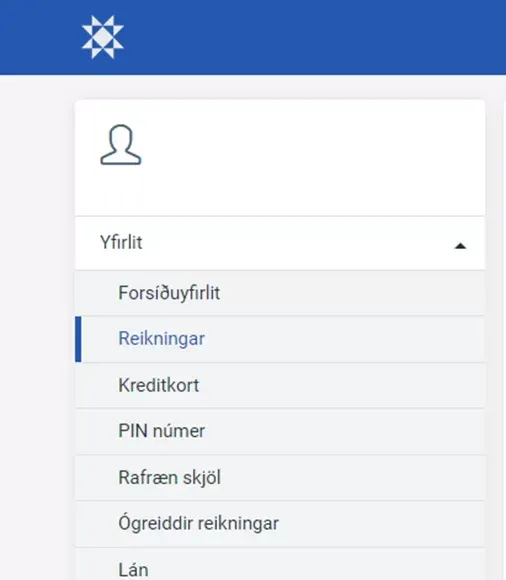
After logging in, under Overview select Accounts.
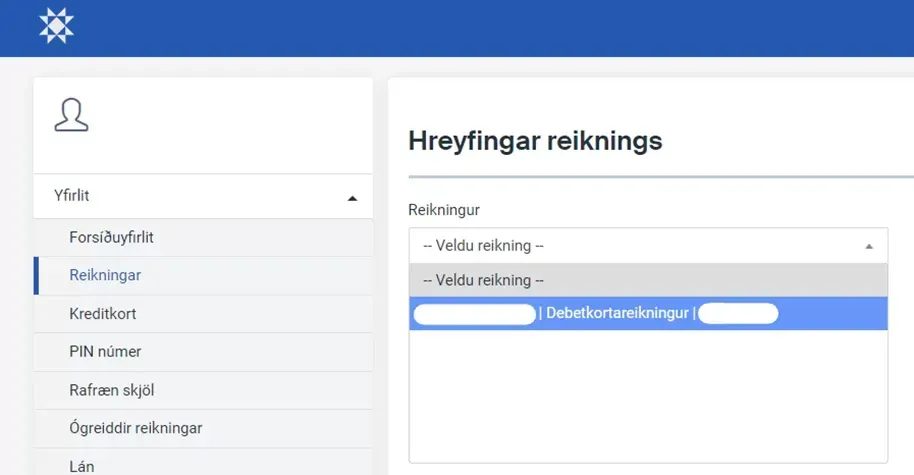
Then select the correct bank account.
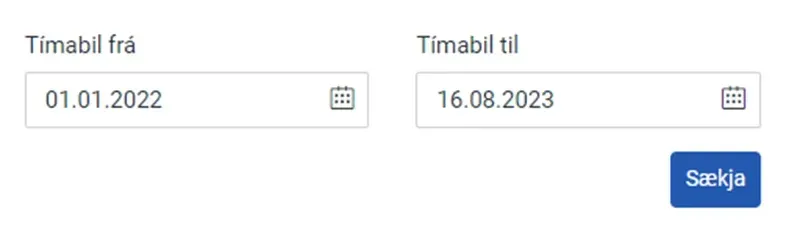
Next you select the period.
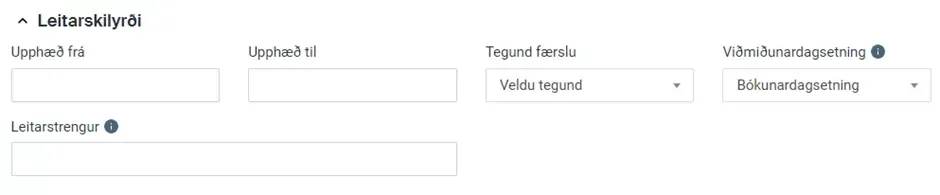
Select search criteria and type the name of the payer in the Search string field.
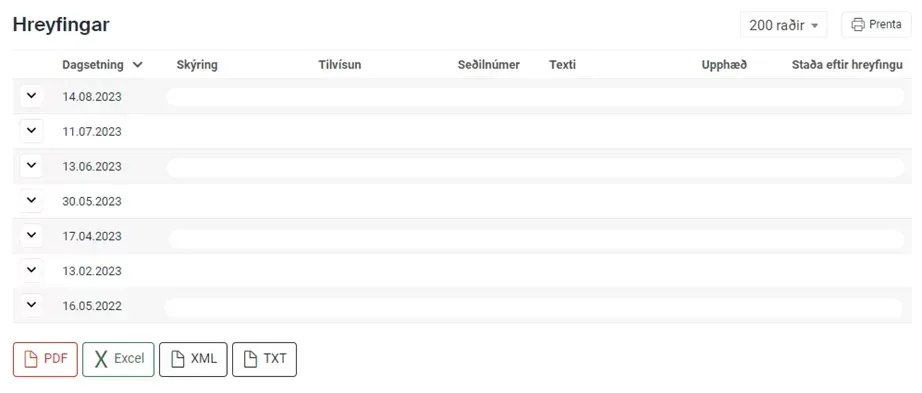
Now you can see an overview of all transactions.
To save the document as PDF, press the red PDF button down on the left.
Bank overview instructions – Íslandsbanki
Members in dealings with Íslandsbanki can access bank overview of salary payments through
the netbank.
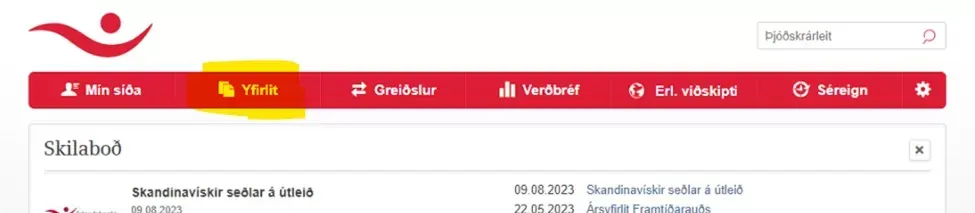
After completing the login, select Overview
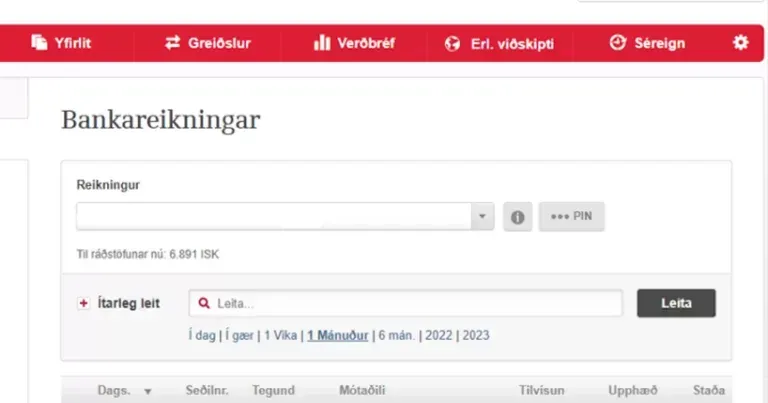
Next you select the correct bank account and then type the name of the payer in the search box
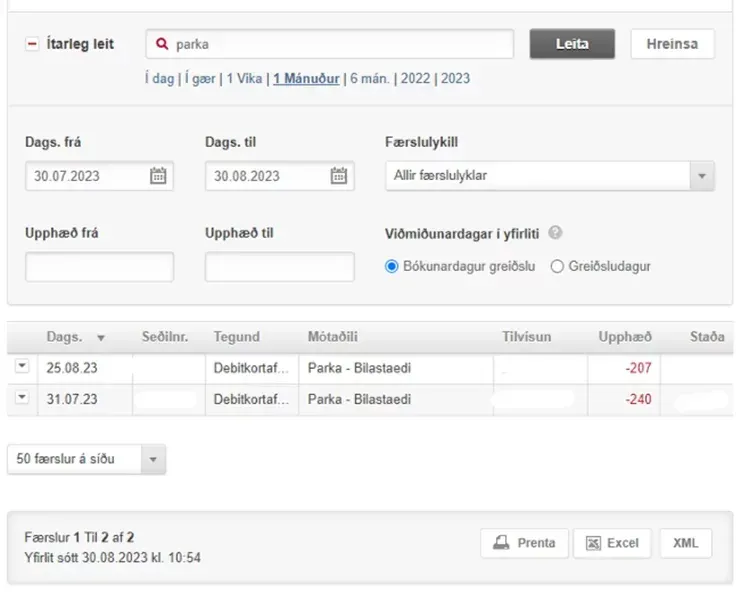
To enter a period, press + Advanced search

To save the document as PDF, you must first click Print
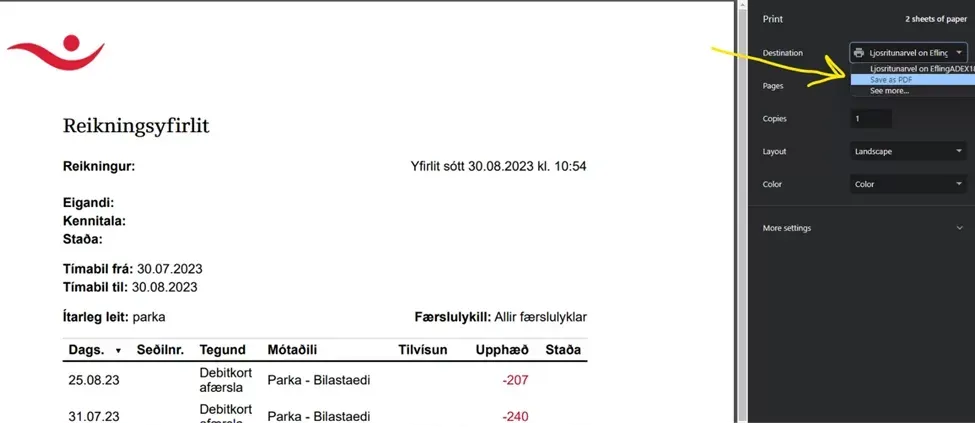
and when the document opens, change the Destination to Save as PDF.
Bank overview instructions – Landsbankinn
Union members in dealings with Landsbankinn can access a bank overview of salary payments through
online banking.
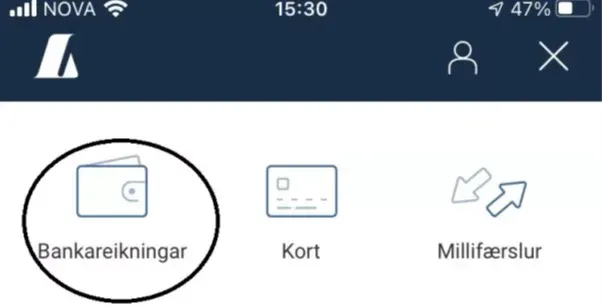
When the online banking/app has been opened, the appropriate bank account is selected.
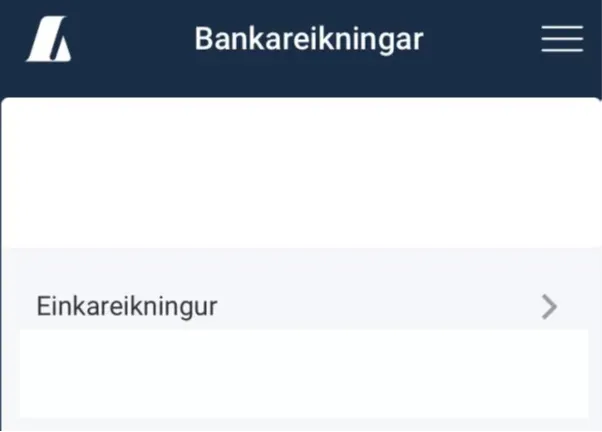
Employer is selected.
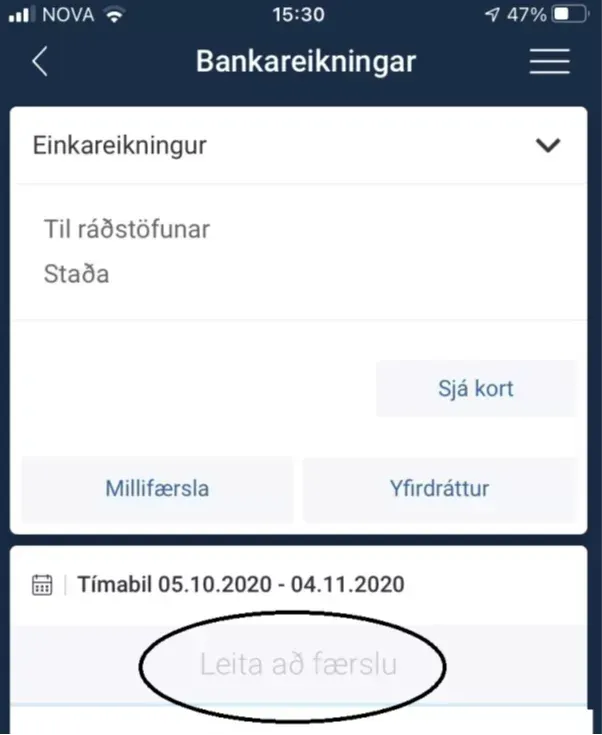
The appropriate period is selected.
6. Tax income overview - RSK
The RSK payment register can be accessed through the service web www.rsk.is

Start by logging into the service portal with electronic credentials
then select Service portals
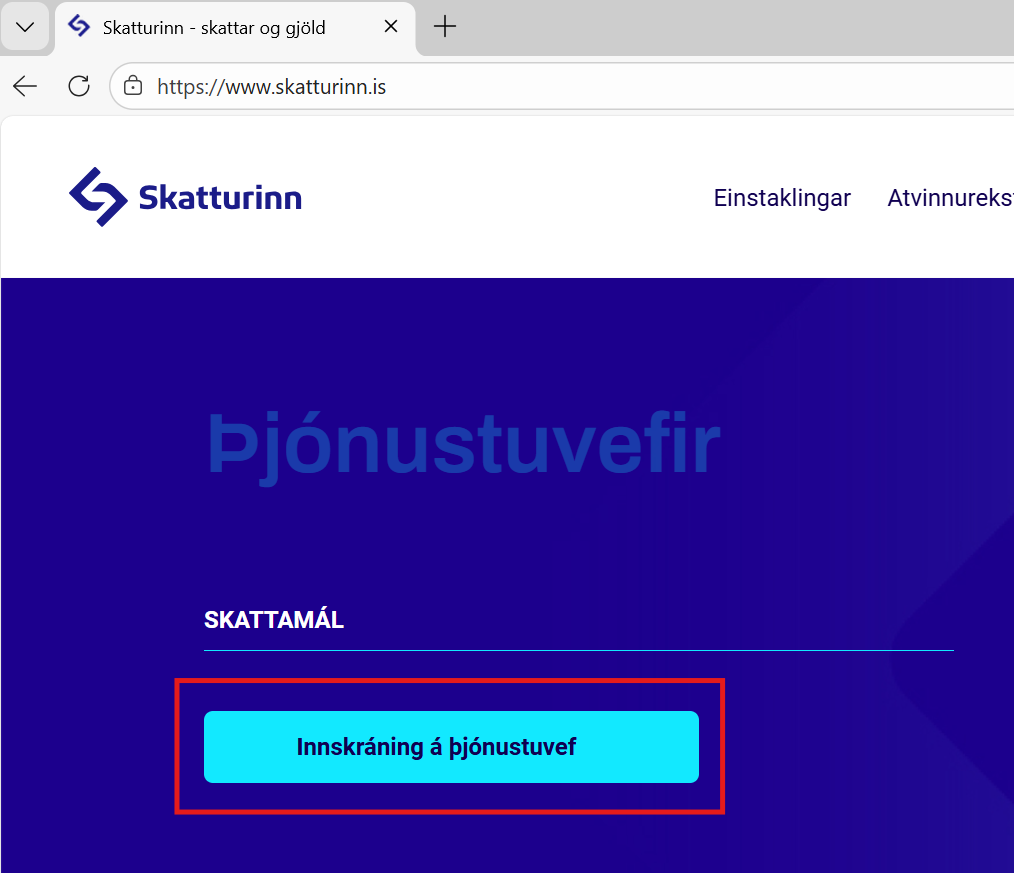
Next, select Login to the Tax Office website
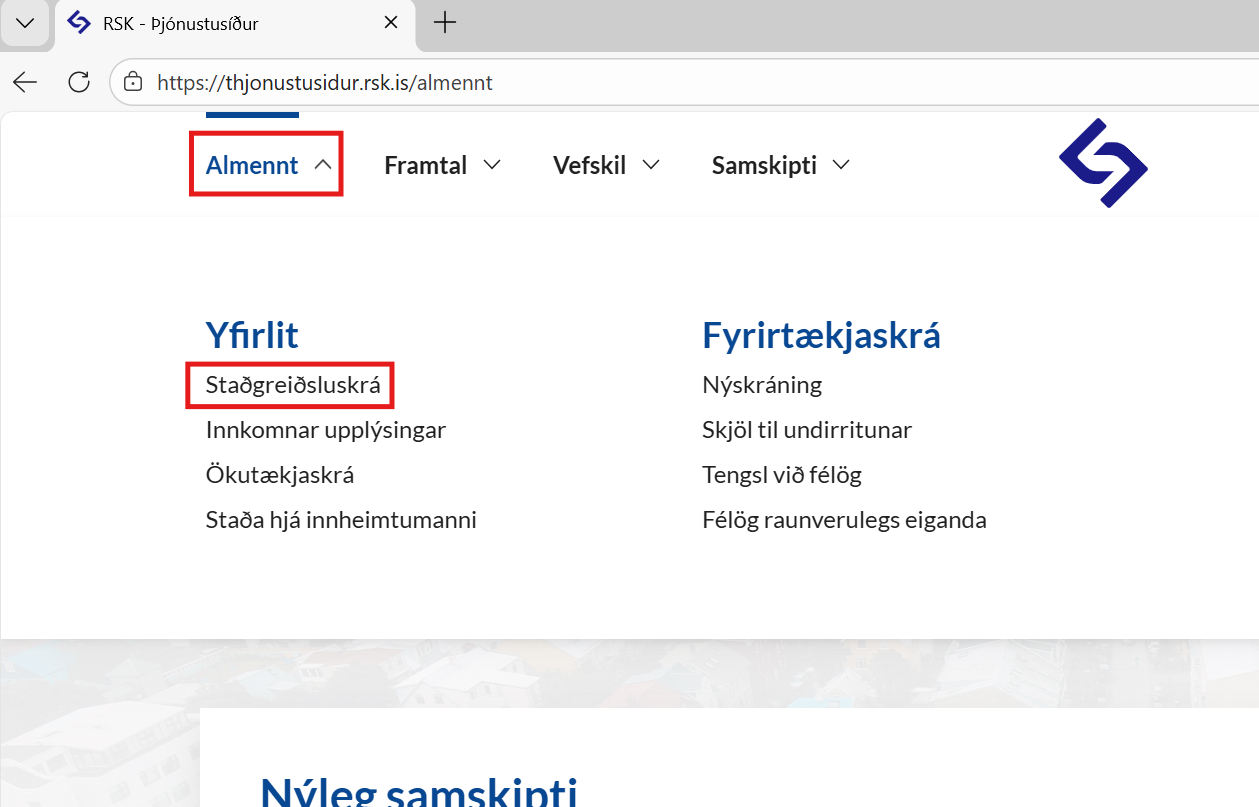
Under General, select tax income overview RSK
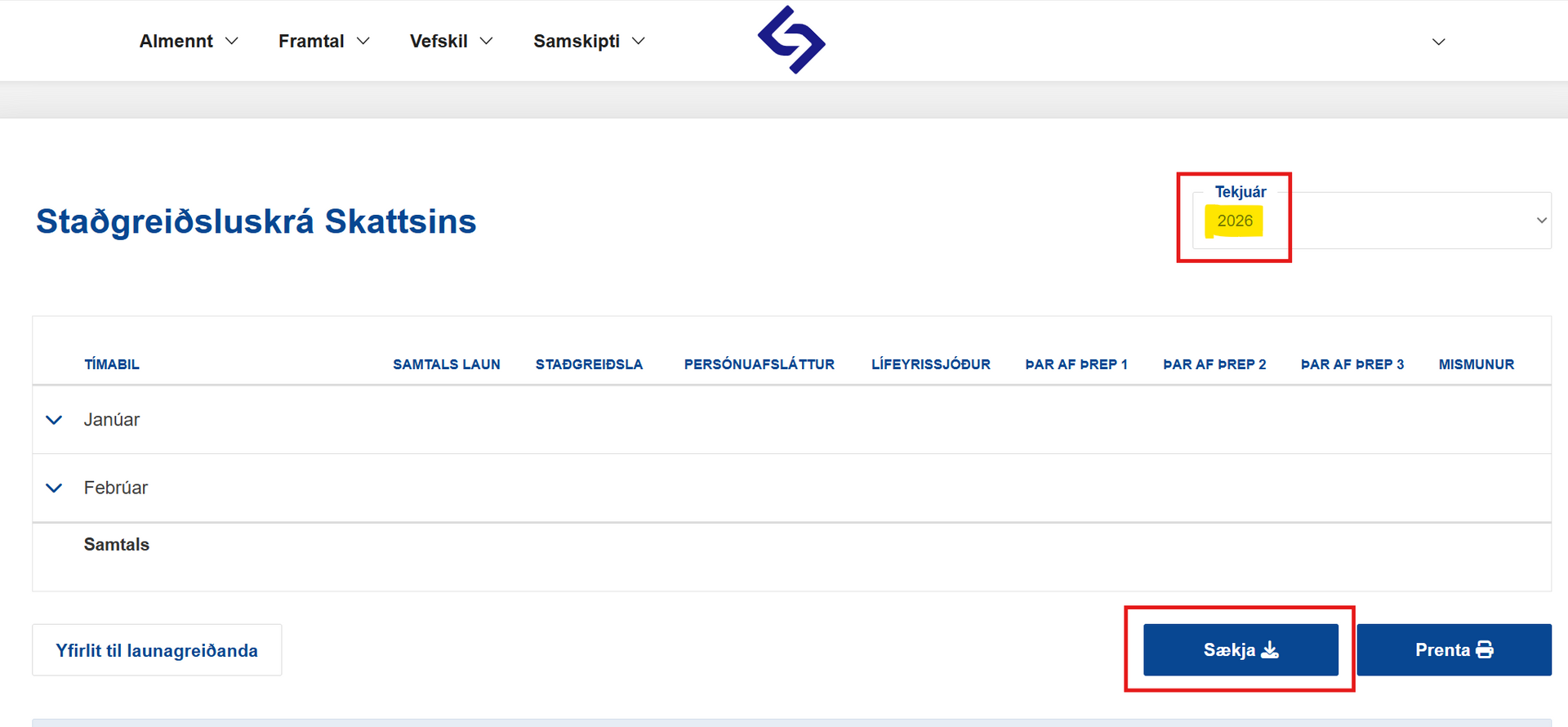
Then download the document as PDF by clicking “Download PDF“.
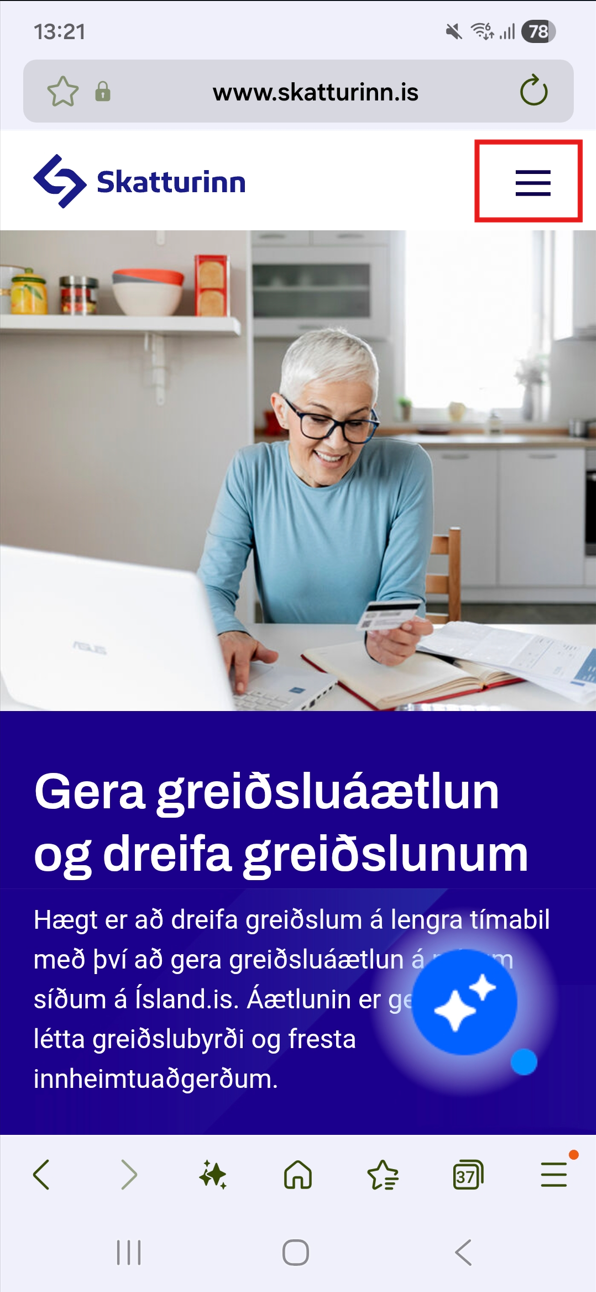
Start by selecting the crossed three in the right corner.
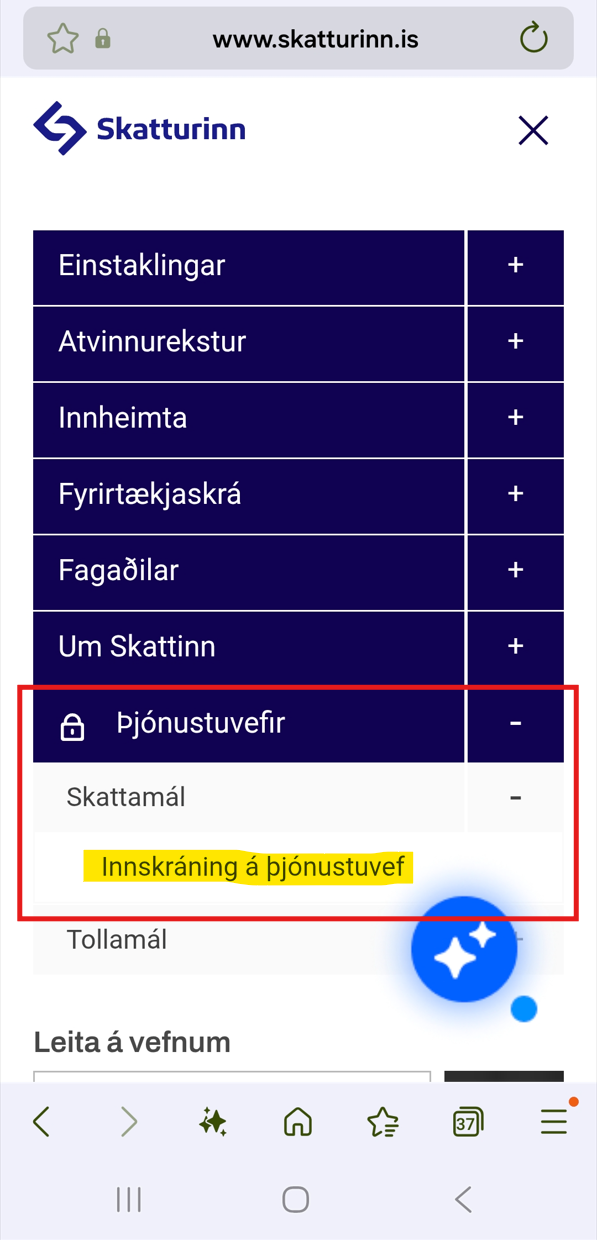
Next you need to click the plus sign next to Service Websites – Tax matters and click Login on Service Website to log in with electronic credentials.
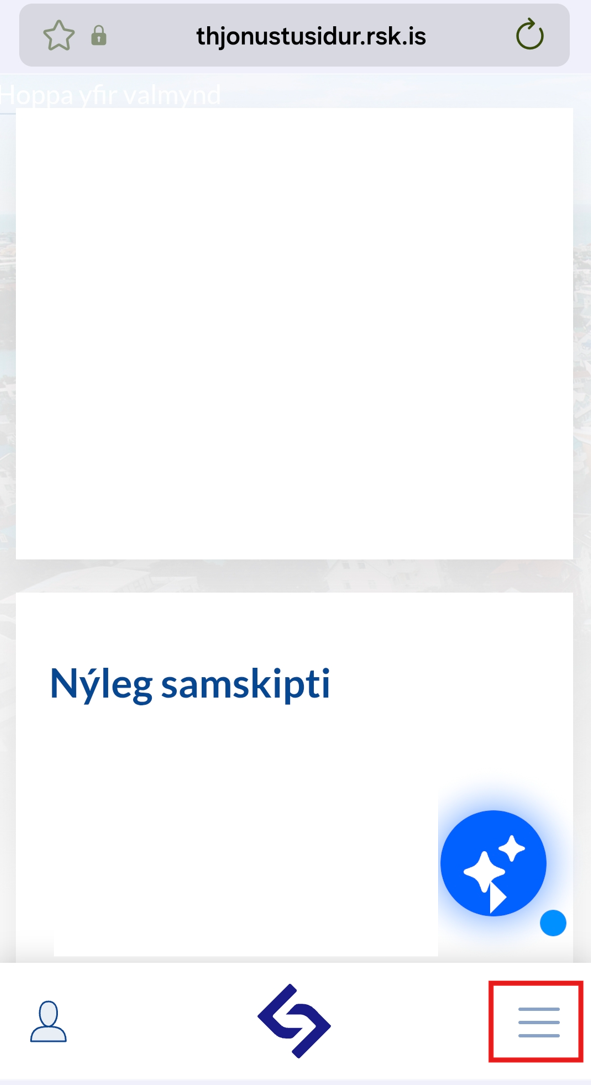
Then three lines are selected at the bottom right corner
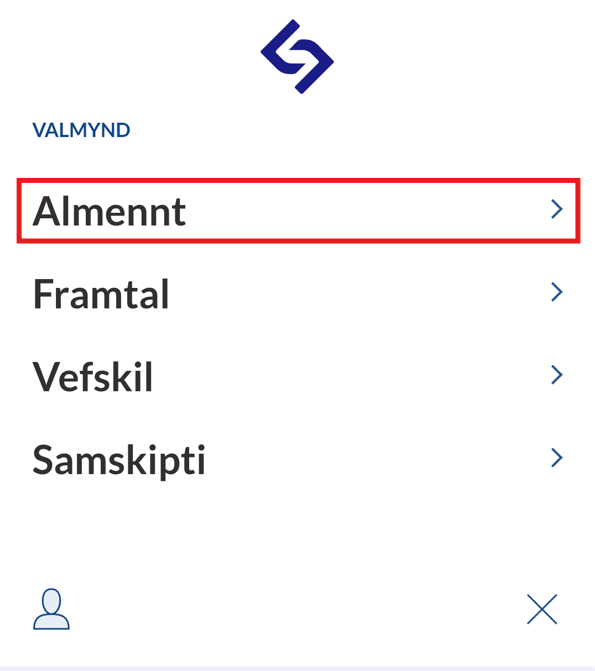
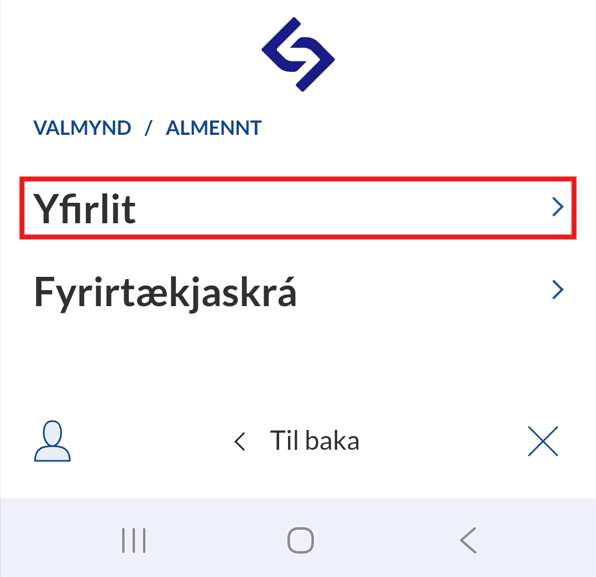
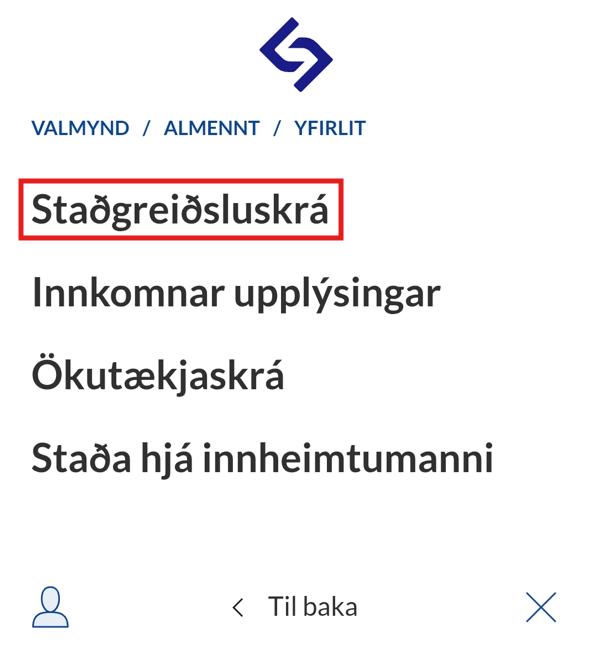
Clicked on General
Click on Overview
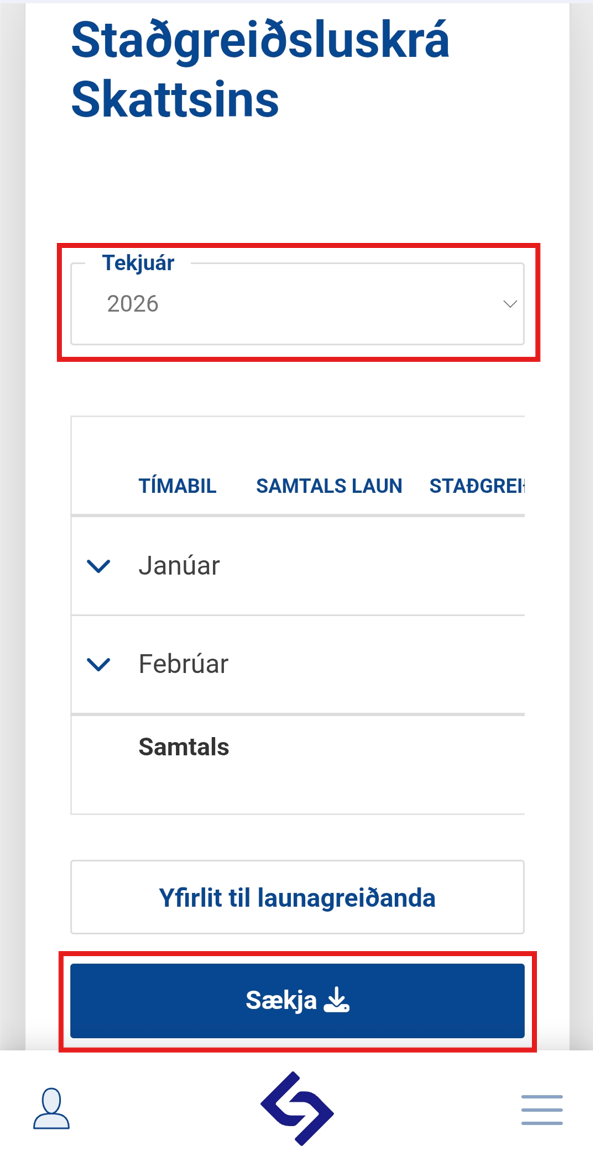
Clicked on Standing Payment Register
Then you need to select the appropriate year and click Download
7. Time records
- Please submit records of all hours worked, specifying the date and the exact start and end time of each shift (e.g., 31.2.2026; 8:00–14:00).
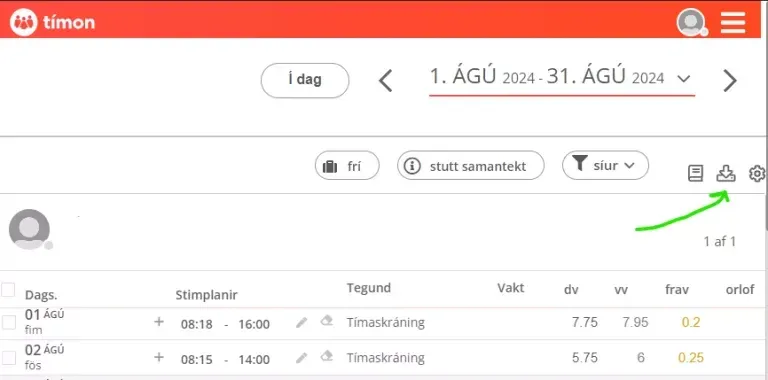
- If time registrations with the employer are through a time registration system such as for example
Tímon it is best to go into your user access and download the time report which Excel
file.
- If your time records are not done in a time-registration system, we recommend filling out the Excel document below with your time records to speed up the processing of the case.
8. Communication with the employer
It is advisable to collect all written communication with your employer, arrange it in chronological order, and compile it into a single document.
9. Termination letter
- Termination of employment must be communicated in writing (such as by letter, email, or other written electronic means)
- If there is no letter of termination, this must be stated on the information form.
10. Doctor's certificate
Only applies if it concerns illness, illness on leave, work accident or occupational disease.
11. Confirmation from Iceland Health
Applies only if it concerns
work accident. Must submit the decision of the Icelandic Health Insurance regarding compensation. Further information can be found here.